Cloning existing flags
Overview
This topic explains how to create new flags within the same environment by cloning existing flags. When you clone a flag, FeatBit creates a new flag and copies the original flag’s on/off state and targeting settings to the new flag. You can then modify the clone’s configuration if needed.
To clone a flag:
-
Navigate to the flag list and choose the flag you want to clone.
-
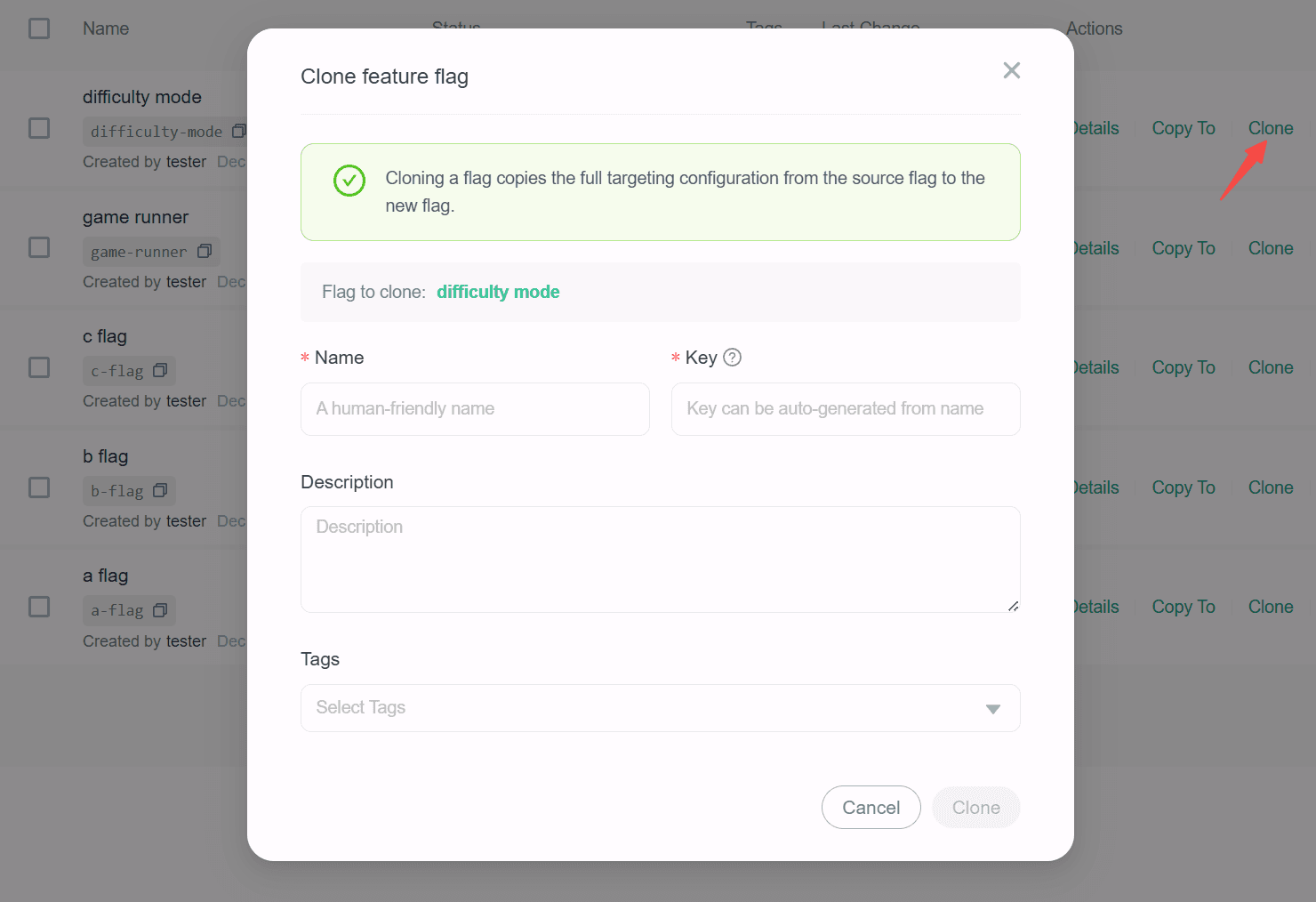
Click the Clone action button to open the "Clone feature flag" dialog.
-
In the dialog, enter a unique, human-readable Name for the new flag.
-
(Optional) The Key field auto-populates based on the name you enter, but you can modify it if needed.
-
(Optional) Enter a Description of the new flag. A brief, human-readable description helps your team members understand what the flag is for.
-
(Optional) Choose one or more tags for your flag.
-
Click the Clone button to create the new flag.